
Sharing guide
How to share an event, Band/Musician, or venue
Send someone the exact live music page you want them to see, whether it is tonight's show, a band profile, or a venue page.
What can you share?
Events
Share an event when you want someone to see the date, time, venue, map, cost, Band/Musician details, and flyer in one place.
Bands and musicians
Share a Band/Musician page when you want someone to follow a performer, check upcoming shows, or see the band's profile and links.
Venues
Share a venue page when you want someone to find the location, map, contact details, website, and upcoming shows at that venue.
QR codes
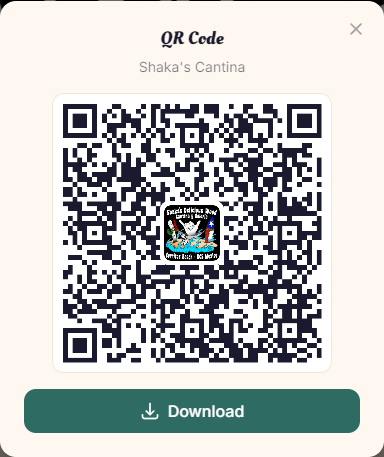
Use the QR button when you want a scannable code for a poster, table sign, printed flyer, or someone standing nearby.
How to share a page
Open the page you want to share
From the calendar, tap an event title. From a listing or event page, tap the Band/Musician or venue name to open that public profile.

Tap Share
The Share button is near the top of event, Band/Musician, and venue pages. On phones, it opens your device's normal share sheet so you can send the link by Messages, WhatsApp, email, AirDrop, or another app.
If your browser does not support the share sheet, the site copies the page link instead.
Share a Band/Musician page
Band/Musician pages have the same Share button near the page name. Use it when you want to send someone the performer's profile and upcoming events.

Share a venue page
Venue pages also include Share and QR buttons near the venue name. Share the venue page when someone needs the map, contact info, website, or upcoming events at that location.

Use a QR code when a scan is easier
Tap the square QR button next to Share to show a scannable code for the current page. You can show it on your phone or download it for printed material.
Which link should I send?
Send the event link when the person needs one specific show. Send the Band/Musician or venue link when the person should see a profile plus upcoming events.
If you are sharing a recurring event from the calendar, open the event from the exact date you mean, then share from that event page.
Quick FAQs
Does sharing require an account?
No. Anyone can open a public page and share it.
What happens when Share is not available?
The site copies the page link so you can paste it into a text, email, or social post.
Are QR codes only for events?
No. Events, Band/Musician pages, venue pages, and guide pages can all be shared by QR code when the button is available.